No reviews yet. Be the first to review this product.
No FAQs yet.
Published
Choose Edition
One-time purchase
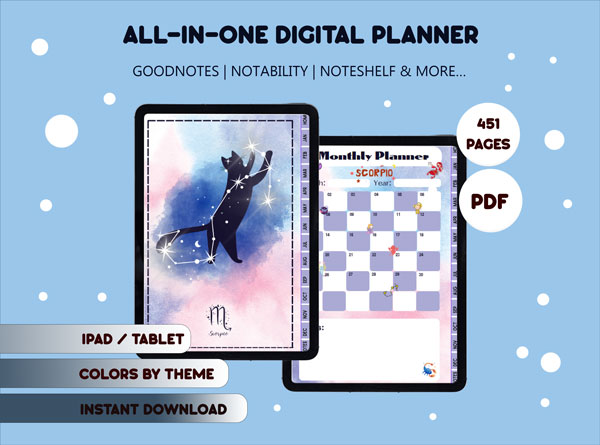
Lovely Scorpio Digital Planner(2025)
$5
Instant Download
Access your files immediately after payment
Secure Checkout
Lemon Squeezy or bank transfer (Vietnam)
Email Delivery
Download link sent directly to your inbox
No reviews yet. Be the first to review this product.
No FAQs yet.
Sign in and purchase this product to leave a review.
No reviews yet
Be the first to share your experience!

Sales
21
Reviews
5.0 (1)
More from this shop
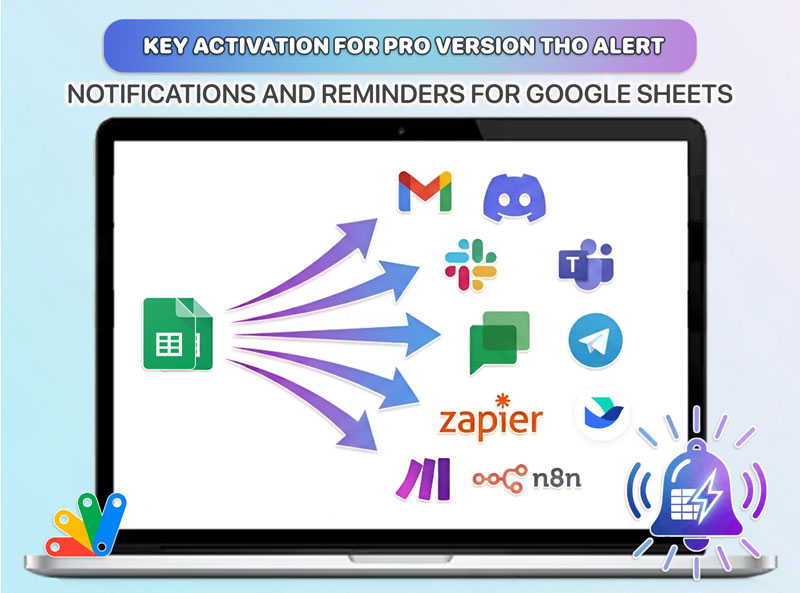
Real-time Google Sheets alerts to Slack, Discord, Telegram, Teams + 6 more channels. All 24 conditions unlocked free. Pro $79 lifetime — no subscription.
11 sold
Transform Webhooks into Organized Data Automatically WebhookFlow is a powerful Google Sheets Add-on that lets you receive webhook data from any external system and automatically save it to your spreadsheets. Perfect for marketers, entrepreneurs, and business owners who want to centralize data from multiple sources without writing a single line of code. ⚡ Key Features 🚀 Ultra-Fast Batch Processing Response time < 500ms - Instant webhook acknowledgment Batch processing every 1 minute for optimal performance Queue-based architecture prevents lag and data loss Handle up to 600K requests/month (Gmail) or 3M requests/month (Google Workspace) 🎯 Smart Field Mapping with AI Suggestions Automatic field detection from webhook payload Intelligent transform options: uppercase, lowercase, phone formatting (Vietnam), date formatting Visual mapping interface - no technical knowledge required Support for nested JSON data (e.g., user.profile.email ) 🛡️ Enterprise-Grade Reliability Dead Letter Queue (DLQ) - Never lose data again Automatic retry mechanism with exponential backoff (2min → 4min → 8min) Real-time webhook preview and debugging Detailed activity logs with payload history 📊 Professional Dashboard Monitor all webhooks in one centralized dashboard Real-time statistics: total requests, success rate, last activity Quota management with visual progress indicators One-click webhook URL copy 🔐 Security & Access Control HMAC signature verification support Webhook secret key generation Pause/Resume webhooks instantly Rate limiting (100 requests/minute per webhook) 💼 Perfect For E-commerce Businesses : Sync orders from Shopify, WooCommerce, or custom stores Marketing Teams : Collect leads from landing pages, forms, and campaigns SaaS Companies : Track user events, payments, and notifications Developers : Integrate APIs without backend infrastructure Automation Enthusiasts : Connect with Zapier, Make, n8n, and more 📦 Pricing Plans Free Plan 1 webhook 1,000 requests/month Basic field mapping Community support Pro Plan - $99/year Gmail Account : 600 webhooks, 600K requests/month Google Workspace : 999 webhooks, 3M requests/month Unlimited field mappings Dead Letter Queue & Auto-retry Priority support Advanced transforms 🎬 How It Works Create a Webhook - Name it and select your target Google Sheet Copy the Webhook URL - One click to copy the generated endpoint Configure Field Mapping - Use our AI-powered suggestions or customize manually Send Data - Connect from any platform that supports webhooks Watch the Magic - Data appears in your sheet automatically, processed in batches ✨ What Makes WebhookFlow Different? FeatureWebhookFlowOther Solutions Response Time < 500ms2-5 seconds Data Loss Protection Dead Letter Queue + Auto-retryNo guarantee Setup Time 2 minutes30+ minutes Coding Required NoYes Cost $99/year$19-49/month Batch Processing ✅ Yes❌ No Visual Debugger ✅ Yes❌ No 🔧 Technical Specifications Platform : Google Sheets Add-on (Apps Script) Architecture : Queue-based batch processing Max Payload Size : 50KB per request Supported Formats : JSON, Form Data Transform Functions : 7+ built-in transforms Retry Attempts : Up to 3 automatic retries Cache Duration : 10 minutes queue, 6 hours preview 🌟 Customer Success Stories "WebhookFlow saved our team 10 hours/week. We now track all customer orders in real-time without hiring a developer!" — Sarah Chen , E-commerce Manager "The batch processing is a game-changer. Our webhook response time dropped from 3 seconds to under 500ms." — Michael Torres , SaaS Founder "Dead Letter Queue feature alone is worth the price. We haven't lost a single lead since switching to WebhookFlow." — Emma Wilson , Marketing Director 📚 Documentation & Support Video Tutorials : Step-by-step setup guides Documentation : Complete API reference Email Support : support@thodigitals.com Response Time : < 24 hours for Pro users 🚀 Get Started Today Install WebhookFlow from Google Workspace Marketplace Open any Google Sheet Click WebhookFlow → Dashboard Create your first webhook in 2 minutes No credit card required for Free Plan 🔒 Privacy & Security No data stored outside Google Sheets GDPR compliant SOC 2 Type II certified (Google infrastructure) Webhook secrets encrypted at rest Activity logs retained for 30 days 🆕 Version 2.1.0 - Latest Update ✅ Ultra-fast batch processing engine ✅ Improved field mapping UI ✅ Enhanced Dead Letter Queue ✅ Better error messages ✅ Performance optimizations Ready to automate your data flow? Install WebhookFlow now and experience the difference!
10 sold
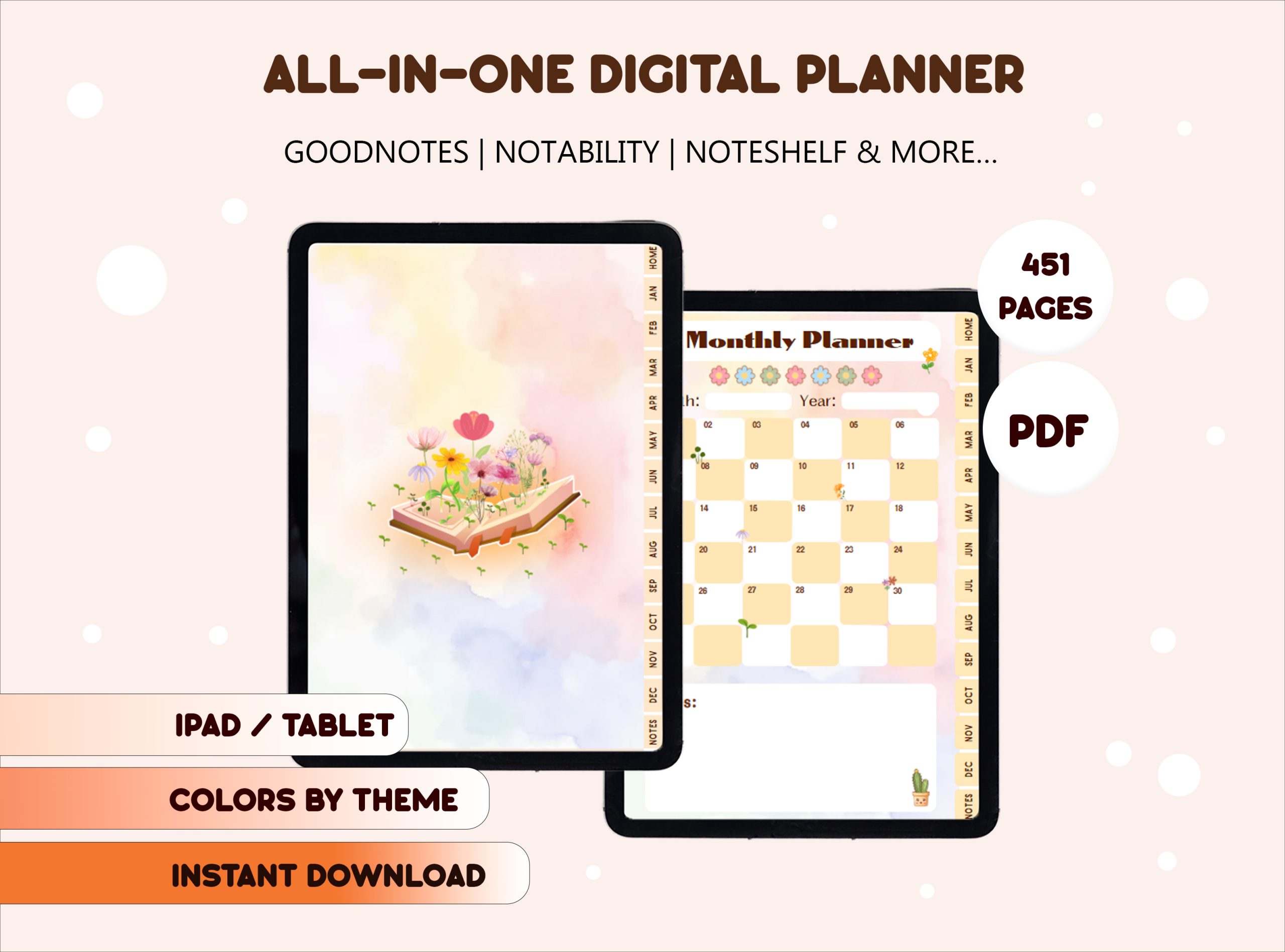
Beautiful Books And Flowers Digital Planner ✏️ Daily Planner / Weekly Planner / Monthly Planner ✨ What's Inside This All-in-One Planner? 📚 Monthly Planner: Get a bird's-eye view of your month. Track important events, birthdays, and big-picture goals with elegant book and floral illustrations on every page. 🌸 Weekly Planner: Break down your week, track habits, and prioritize your most important tasks for maximum impact. Each week features beautiful flowers and stacks of books to keep you inspired. 🌷 Daily Planner: Detail your day with an hourly schedule and a to-do list—each page is adorned with delicate blossoms and literary motifs, making every task feel special. 🎯 Goal Setting Pages: Define and break down your dreams with dedicated sections for your goals, helping you stay focused and motivated all year. 💰 Finance & Budget Trackers: Master your money by tracking income, expenses, and savings in one simple place, all decorated with charming floral accents. 📝 Notes & Creative Pages: Lined, dotted, and blank pages for your brilliant ideas, sketches, book reviews, or journal entries—perfect for capturing inspiration as it blooms. \n 📚 Why You'll Instantly Fall in Love With This Planner 🌸 Exclusive Books & Flowers Design: Every page features unique illustrations of books, wildflowers, reading corners, and cozy scenes—bringing the beauty of literature and nature into your planning. 🧩 Optimized for Productivity: A clean, user-centric layout helps you focus, stay on track, and never miss a beat. 🎨 100% Editable in Canva: You get the original Canva link! Easily change colors, fonts, and layouts to create a planner that is uniquely YOU. 🌍 Eco-Friendly & Economical: Go paperless and protect our planet. Buy it once and reuse it year after year! 🔄 Infinitely Flexible: Duplicate any page as many times as you need, easily undo mistakes, and reuse digital stickers for endless creativity. \n 🚀 How to Get Started: It's Super Easy! To use this digital planner, you will need a PDF annotation app on your tablet. For Apple iPad: We recommend GoodNotes or Notability with an Apple Pencil. For Android Tablets: We recommend Penly or Xodo with an S-pen or other stylus. Your Quick Start Guide: \n 📚 Purchase: Complete your purchase to instantly access the download link. 🌸 Download: You will receive a PDF file. Open it and click the special link inside. 🌷 Access & Export: The link will take you to Canva where you can customize your planner if you wish. When ready, download the final planner as a PDF file. 📝 Import & Plan: Open your favorite PDF annotation app (like GoodNotes or Penly) and import the PDF file. You're ready to start planning! 📚 Start Your Inspired Planning Journey! Make this your most organized, productive, and beautiful year yet. Don’t let your plans stay as just ideas—let them blossom! Add to cart now to receive your instant download and start planning creatively! ⭐️ PLEASE NOTE ⭐️ \n This is a DIGITAL PRODUCT. No physical item will be shipped to you. Due to the digital nature of this product, all sales are final. We do not offer refunds, exchanges, or cancellations. Please read the description carefully before purchasing. This product file may be larger than 5MB and is therefore not compatible with the "GoodNotes 6 FREE Version". Please use a paid version for the best experience. Color variations on screens and monitors may cause the planner to appear slightly different in color. This planner is designed for digital use and is not suitable for printing.
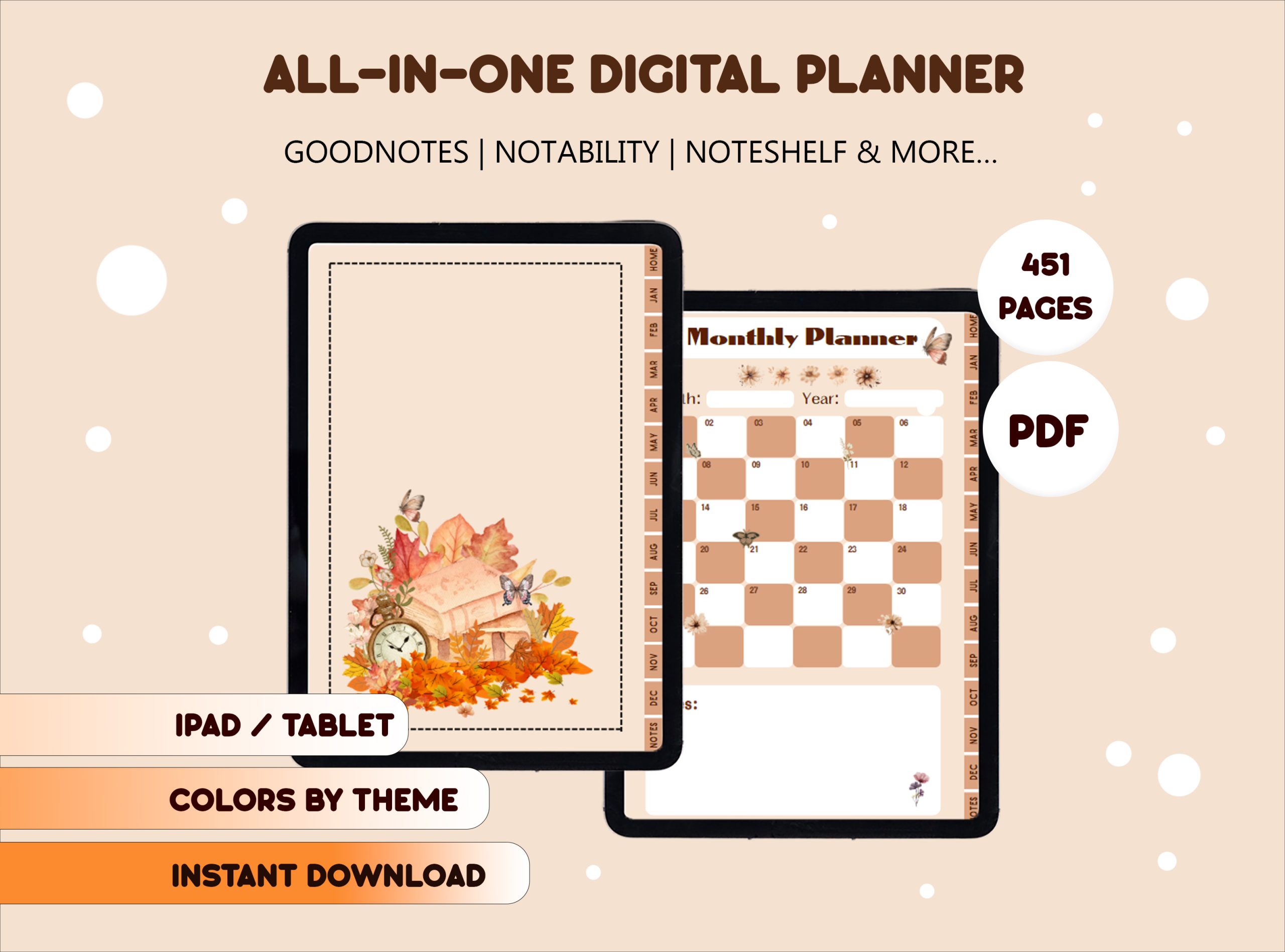
Clock, book, butterfly Digital Planner ✏️ Daily Planner / Weekly Planner / Monthly Planner ✨ What's Inside This All-in-One Planner? 🕰️ Monthly Planner: Get a bird's-eye view of your month. Track important events, deadlines, and big-picture goals with elegant clock, book, and butterfly illustrations that remind you to cherish every moment. 📚 Weekly Planner: Break down your week, track habits, and prioritize your most important tasks for maximum impact. Each week features vintage clocks, open books, and fluttering butterflies to inspire mindful productivity. 🦋 Daily Planner: Detail your day with an hourly schedule and a to-do list—each page is adorned with graceful butterflies, classic timepieces, and literary motifs, making every task feel meaningful. 🎯 Goal Setting Pages: Define and break down your dreams with dedicated sections for your goals, helping you stay focused and motivated all year. 💰 Finance & Budget Trackers: Master your money by tracking income, expenses, and savings in one simple place, all decorated with timeless clock faces and delicate butterfly accents. 📝 Notes & Creative Pages: Lined, dotted, and blank pages for your ideas, sketches, quotes, or journal entries—perfect for capturing inspiration as time and thoughts flow. \n 🕰️ Why You'll Instantly Fall in Love With This Planner 🦋 Exclusive Clock, Book & Butterfly Design: Every page features unique illustrations of clocks, books, and butterflies—symbolizing time, knowledge, and transformation—bringing poetic beauty into your planning. 🧩 Optimized for Productivity: A clean, user-centric layout helps you focus, stay on track, and never miss a beat. 🎨 100% Editable in Canva: You get the original Canva link! Easily change colors, fonts, and layouts to create a planner that is uniquely YOU. 🌍 Eco-Friendly & Economical: Go paperless and protect our planet. Buy it once and reuse it year after year! 🔄 Infinitely Flexible: Duplicate any page as many times as you need, easily undo mistakes, and reuse digital stickers for endless creativity. \n 🚀 How to Get Started: It's Super Easy! To use this digital planner, you will need a PDF annotation app on your tablet. For Apple iPad: We recommend GoodNotes or Notability with an Apple Pencil. For Android Tablets: We recommend Penly or Xodo with an S-pen or other stylus. Your Quick Start Guide: \n 🕰️ Purchase: Complete your purchase to instantly access the download link. 📚 Download: You will receive a PDF file. Open it and click the special link inside. 🦋 Access & Export: The link will take you to Canva where you can customize your planner if you wish. When ready, download the final planner as a PDF file. 📝 Import & Plan: Open your favorite PDF annotation app (like GoodNotes or Penly) and import the PDF file. You're ready to start planning! 🦋 Start Your Timeless Planning Journey! Make this your most organized, inspired, and transformative year yet. Don’t let your plans stay as just ideas—let them take flight! Add to cart now to receive your instant download and start planning creatively! ⭐️ PLEASE NOTE ⭐️ \n This is a DIGITAL PRODUCT. No physical item will be shipped to you. Due to the digital nature of this product, all sales are final. We do not offer refunds, exchanges, or cancellations. Please read the description carefully before purchasing. This product file may be larger than 5MB and is therefore not compatible with the "GoodNotes 6 FREE Version". Please use a paid version for the best experience. Color variations on screens and monitors may cause the planner to appear slightly different in color. This planner is designed for digital use and is not suitable for printing.
Clock, book, butterfly Digital Planner ✏️ Daily Planner / Weekly Planner / Monthly Planner ✨ What's Inside This All-in-One Planner? 🕰️ Monthly Planner: Get a bird's-eye view of your month. Track important events, deadlines, and big-picture goals with elegant clock, book, and butterfly illustrations that remind you to cherish every moment. 📚 Weekly Planner: Break down your week, track habits, and prioritize your most important tasks for maximum impact. Each week features vintage clocks, open books, and fluttering butterflies to inspire mindful productivity. 🦋 Daily Planner: Detail your day with an hourly schedule and a to-do list—each page is adorned with graceful butterflies, classic timepieces, and literary motifs, making every task feel meaningful. 🎯 Goal Setting Pages: Define and break down your dreams with dedicated sections for your goals, helping you stay focused and motivated all year. 💰 Finance & Budget Trackers: Master your money by tracking income, expenses, and savings in one simple place, all decorated with timeless clock faces and delicate butterfly accents. 📝 Notes & Creative Pages: Lined, dotted, and blank pages for your ideas, sketches, quotes, or journal entries—perfect for capturing inspiration as time and thoughts flow. \n 🕰️ Why You'll Instantly Fall in Love With This Planner 🦋 Exclusive Clock, Book & Butterfly Design: Every page features unique illustrations of clocks, books, and butterflies—symbolizing time, knowledge, and transformation—bringing poetic beauty into your planning. 🧩 Optimized for Productivity: A clean, user-centric layout helps you focus, stay on track, and never miss a beat. 🎨 100% Editable in Canva: You get the original Canva link! Easily change colors, fonts, and layouts to create a planner that is uniquely YOU. 🌍 Eco-Friendly & Economical: Go paperless and protect our planet. Buy it once and reuse it year after year! 🔄 Infinitely Flexible: Duplicate any page as many times as you need, easily undo mistakes, and reuse digital stickers for endless creativity. \n 🚀 How to Get Started: It's Super Easy! To use this digital planner, you will need a PDF annotation app on your tablet. For Apple iPad: We recommend GoodNotes or Notability with an Apple Pencil. For Android Tablets: We recommend Penly or Xodo with an S-pen or other stylus. Your Quick Start Guide: \n 🕰️ Purchase: Complete your purchase to instantly access the download link. 📚 Download: You will receive a PDF file. Open it and click the special link inside. 🦋 Access & Export: The link will take you to Canva where you can customize your planner if you wish. When ready, download the final planner as a PDF file. 📝 Import & Plan: Open your favorite PDF annotation app (like GoodNotes or Penly) and import the PDF file. You're ready to start planning! 🦋 Start Your Timeless Planning Journey! Make this your most organized, inspired, and transformative year yet. Don’t let your plans stay as just ideas—let them take flight! Add to cart now to receive your instant download and start planning creatively! ⭐️ PLEASE NOTE ⭐️ \n This is a DIGITAL PRODUCT. No physical item will be shipped to you. Due to the digital nature of this product, all sales are final. We do not offer refunds, exchanges, or cancellations. Please read the description carefully before purchasing. This product file may be larger than 5MB and is therefore not compatible with the "GoodNotes 6 FREE Version". Please use a paid version for the best experience. Color variations on screens and monitors may cause the planner to appear slightly different in color. This planner is designed for digital use and is not suitable for printing.
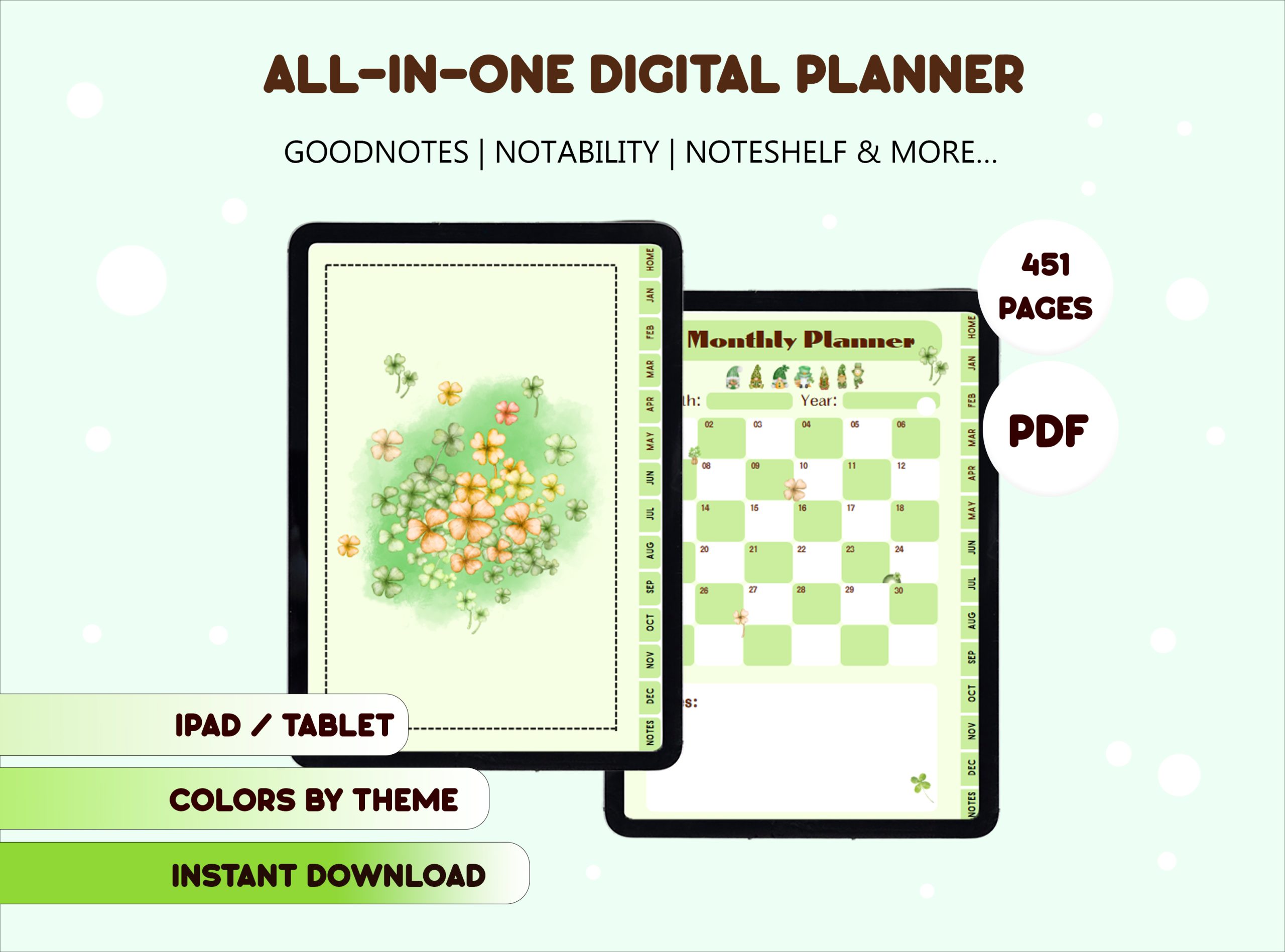
Clover Digital Planner✏️ Daily Planner / Weekly Planner / Monthly Planner ✨ What's Inside This All-in-One Planner? ☘️ Monthly Planner: Get a bird's-eye view of your month. Track important events, deadlines, and big-picture goals with elegant clover motifs that symbolize luck and growth. 📒 Weekly Planner: Break down your week, track habits, and prioritize your most important tasks for maximum impact. Each week features fresh clover illustrations and green accents to keep you motivated. 🌱 Daily Planner: Detail your day with an hourly schedule and a to-do list—each page is adorned with gentle clover leaves, making every task feel positive and full of potential. 🎯 Goal Setting Pages: Define and break down your dreams with dedicated sections for your goals, helping you stay focused and inspired all year. 💰 Finance & Budget Trackers: Master your money by tracking income, expenses, and savings in one simple place, all decorated with lucky clover themes. 📝 Notes & Creative Pages: Lined, dotted, and blank pages for your ideas, sketches, or journal entries—perfect for capturing inspiration as it grows. \n ☘️ Why You'll Instantly Fall in Love With This Planner 🌿 Exclusive Clover Design: Every page features unique clover illustrations—four-leaf clovers, fresh green tones, and natural details—bringing a sense of luck and renewal into your planning. 🧩 Optimized for Productivity: A clean, user-centric layout helps you focus, stay on track, and never miss a beat. 🎨 100% Editable in Canva: You get the original Canva link! Easily change colors, fonts, and layouts to create a planner that is uniquely YOU. 🌍 Eco-Friendly & Economical: Go paperless and protect our planet. Buy it once and reuse it year after year! 🔄 Infinitely Flexible: Duplicate any page as many times as you need, easily undo mistakes, and reuse digital stickers for endless creativity. \n 🚀 How to Get Started: It's Super Easy! To use this digital planner, you will need a PDF annotation app on your tablet. For Apple iPad: We recommend GoodNotes or Notability with an Apple Pencil. For Android Tablets: We recommend Penly or Xodo with an S-pen or other stylus. Your Quick Start Guide: \n ☘️ Purchase: Complete your purchase to instantly access the download link. 📒 Download: You will receive a PDF file. Open it and click the special link inside. 🌱 Access & Export: The link will take you to Canva where you can customize your planner if you wish. When ready, download the final planner as a PDF file. 📝 Import & Plan: Open your favorite PDF annotation app (like GoodNotes or Penly) and import the PDF file. You're ready to start planning! ☘️ Start Your Lucky Planning Journey! Make this your most organized, productive, and inspired year yet. Don’t let your plans stay as just ideas—let them flourish! Add to cart now to receive your instant download and start planning creatively! ⭐️ PLEASE NOTE ⭐️ \n This is a DIGITAL PRODUCT. No physical item will be shipped to you. Due to the digital nature of this product, all sales are final. We do not offer refunds, exchanges, or cancellations. Please read the description carefully before purchasing. This product file may be larger than 5MB and is therefore not compatible with the "GoodNotes 6 FREE Version". Please use a paid version for the best experience. Color variations on screens and monitors may cause the planner to appear slightly different in color. This planner is designed for digital use and is not suitable for printing.
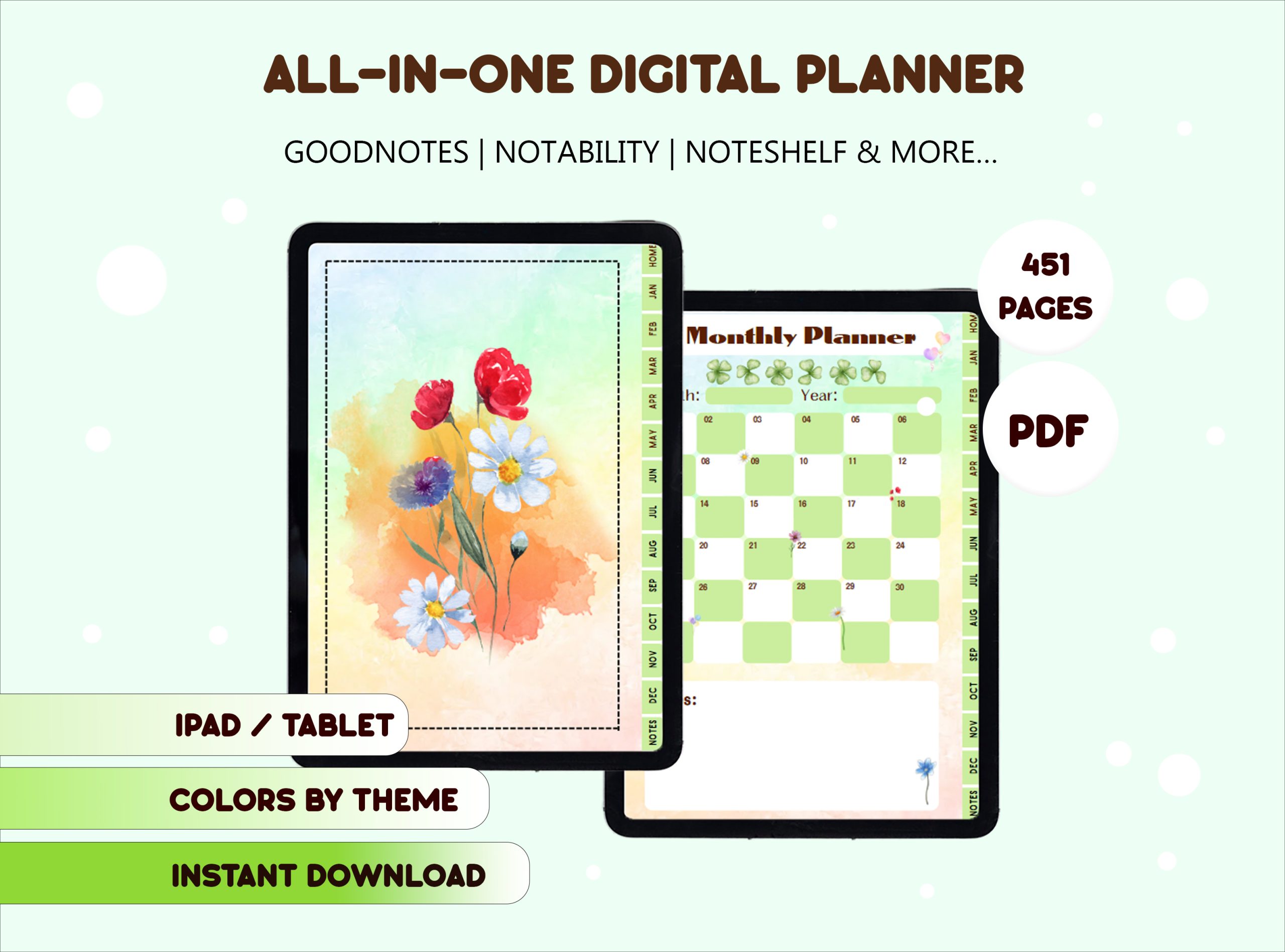
Cute bouquet Digital Planner ✏️ Daily Planner / Weekly Planner / Monthly Planner ✨ What's Inside This All-in-One Planner? 💐 Monthly Planner: Get a bird's-eye view of your month. Track important events, birthdays, and big-picture goals with charming bouquet illustrations on every page. 🌷 Weekly Planner: Break down your week, track habits, and prioritize your most important tasks. Each week features delightful floral bouquets to keep you motivated and joyful. 🌸 Daily Planner: Detail your day with an hourly schedule and a to-do list—every page is decorated with cute, colorful bouquets, making each task feel lighter and more cheerful. 🎯 Goal Setting Pages: Define and break down your dreams with dedicated sections for your goals, helping you stay focused and inspired all year. 💰 Finance & Budget Trackers: Master your money by tracking income, expenses, and savings in one simple place, all adorned with sweet bouquet themes. 📝 Notes & Creative Pages: Lined, dotted, and blank pages for your ideas, sketches, or journal entries—perfect for capturing inspiration as it blooms. \n 💐 Why You'll Instantly Fall in Love With This Planner 🌺 Exclusive Cute Bouquet Design: Every page features unique, hand-drawn bouquet illustrations—pastel flowers, ribbons, and gentle colors—bringing a sense of freshness and happiness to your planning. 🧩 Optimized for Productivity: A clean, user-friendly layout helps you focus, stay on track, and never miss a beat. 🎨 100% Editable in Canva: You get the original Canva link! Easily change colors, fonts, and layouts to create a planner that is uniquely YOU. 🌍 Eco-Friendly & Economical: Go paperless and protect our planet. Buy it once and reuse it year after year! 🔄 Infinitely Flexible: Duplicate any page as many times as you need, easily undo mistakes, and reuse digital stickers for endless creativity. \n 🚀 How to Get Started: It's Super Easy! To use this digital planner, you will need a PDF annotation app on your tablet. For Apple iPad: We recommend GoodNotes or Notability with an Apple Pencil. For Android Tablets: We recommend Penly or Xodo with an S-pen or other stylus. Your Quick Start Guide: \n 💐 Purchase: Complete your purchase to instantly access the download link. 🌷 Download: You will receive a PDF file. Open it and click the special link inside. 🌸 Access & Export: The link will take you to Canva where you can customize your planner if you wish. When ready, download the final planner as a PDF file. 📝 Import & Plan: Open your favorite PDF annotation app (like GoodNotes or Penly) and import the PDF file. You're ready to start planning! 💐 Start Your Joyful Planning Journey! Make this your most organized, productive, and lovely year yet. Don’t let your plans stay as just ideas—let them blossom with Cute Bouquet Digital Planner! Add to cart now to receive your instant download and start planning creatively! ⭐️ PLEASE NOTE ⭐️ \n This is a DIGITAL PRODUCT. No physical item will be shipped to you. Due to the digital nature of this product, all sales are final. We do not offer refunds, exchanges, or cancellations. Please read the description carefully before purchasing. This product file may be larger than 5MB and is therefore not compatible with the "GoodNotes 6 FREE Version". Please use a paid version for the best experience. Color variations on screens and monitors may cause the planner to appear slightly different in color. This planner is designed for digital use and is not suitable for printing.
Beautiful Books And Flowers Digital Planner ✏️ Daily Planner / Weekly Planner / Monthly Planner ✨ What's Inside This All-in-One Planner? 📚 Monthly Planner: Get a bird's-eye view of your month. Track important events, birthdays, and big-picture goals with elegant book and floral illustrations on every page. 🌸 Weekly Planner: Break down your week, track habits, and prioritize your most important tasks for maximum impact. Each week features beautiful flowers and stacks of books to keep you inspired. 🌷 Daily Planner: Detail your day with an hourly schedule and a to-do list—each page is adorned with delicate blossoms and literary motifs, making every task feel special. 🎯 Goal Setting Pages: Define and break down your dreams with dedicated sections for your goals, helping you stay focused and motivated all year. 💰 Finance & Budget Trackers: Master your money by tracking income, expenses, and savings in one simple place, all decorated with charming floral accents. 📝 Notes & Creative Pages: Lined, dotted, and blank pages for your brilliant ideas, sketches, book reviews, or journal entries—perfect for capturing inspiration as it blooms. \n 📚 Why You'll Instantly Fall in Love With This Planner 🌸 Exclusive Books & Flowers Design: Every page features unique illustrations of books, wildflowers, reading corners, and cozy scenes—bringing the beauty of literature and nature into your planning. 🧩 Optimized for Productivity: A clean, user-centric layout helps you focus, stay on track, and never miss a beat. 🎨 100% Editable in Canva: You get the original Canva link! Easily change colors, fonts, and layouts to create a planner that is uniquely YOU. 🌍 Eco-Friendly & Economical: Go paperless and protect our planet. Buy it once and reuse it year after year! 🔄 Infinitely Flexible: Duplicate any page as many times as you need, easily undo mistakes, and reuse digital stickers for endless creativity. \n 🚀 How to Get Started: It's Super Easy! To use this digital planner, you will need a PDF annotation app on your tablet. For Apple iPad: We recommend GoodNotes or Notability with an Apple Pencil. For Android Tablets: We recommend Penly or Xodo with an S-pen or other stylus. Your Quick Start Guide: \n 📚 Purchase: Complete your purchase to instantly access the download link. 🌸 Download: You will receive a PDF file. Open it and click the special link inside. 🌷 Access & Export: The link will take you to Canva where you can customize your planner if you wish. When ready, download the final planner as a PDF file. 📝 Import & Plan: Open your favorite PDF annotation app (like GoodNotes or Penly) and import the PDF file. You're ready to start planning! 📚 Start Your Inspired Planning Journey! Make this your most organized, productive, and beautiful year yet. Don’t let your plans stay as just ideas—let them blossom! Add to cart now to receive your instant download and start planning creatively! ⭐️ PLEASE NOTE ⭐️ \n This is a DIGITAL PRODUCT. No physical item will be shipped to you. Due to the digital nature of this product, all sales are final. We do not offer refunds, exchanges, or cancellations. Please read the description carefully before purchasing. This product file may be larger than 5MB and is therefore not compatible with the "GoodNotes 6 FREE Version". Please use a paid version for the best experience. Color variations on screens and monitors may cause the planner to appear slightly different in color. This planner is designed for digital use and is not suitable for printing.