Premium Google Sheets Templates, Digital Planners, and Add-ons
6 products
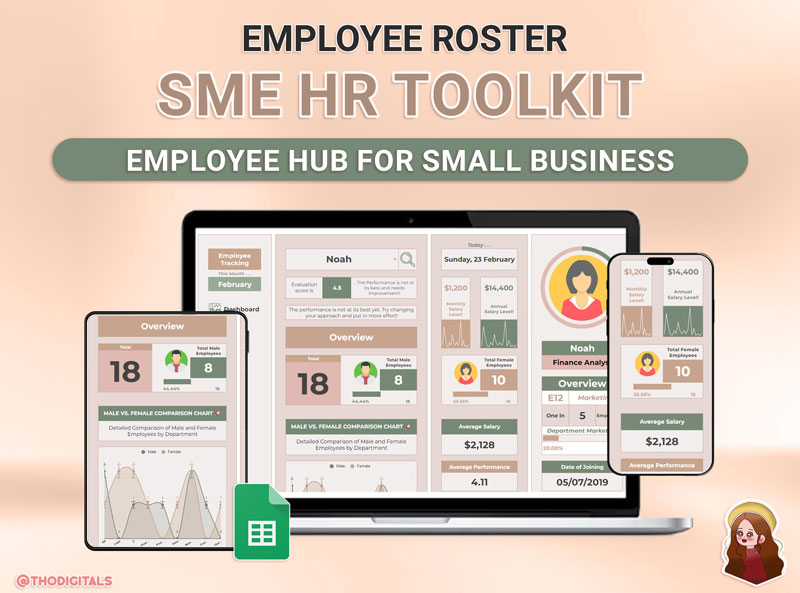
Elevate your small business HR management with the SME HR Toolkit, a powerful and user-friendly digital solution designed to streamline your human resources operations. Tailored specifically for small and medium-sized enterprises (SMEs), this all-in-one toolkit empowers business owners and HR professionals to manage their workforce efficiently, saving time and resources while ensuring compliance and productivity. Whether you're tracking employee performance, organizing departments, or generating insightful reports, our toolkit has everything you need to simplify complex HR tasks. Key Features of the SME HR Toolkit: \n Comprehensive Overview Dashboard: Gain a clear, real-time snapshot of your workforce with an intuitive dashboard. Monitor employee status, attendance, and key performance metrics at a glance, allowing you to make informed decisions quickly. Salary Insights and Reporting: Dive deep into salary data with ease. Access average salary trends, generate detailed payroll reports, and ensure fair compensation across your organization with just a few clicks. Performance Evaluation Tools: Simplify employee assessments with built-in evaluation features. Set goals, track progress, and analyze performance effortlessly, fostering a culture of growth and accountability. Department Setup and Organization: Structure your business effectively by organizing departments and roles seamlessly. Assign tasks, define hierarchies, and ensure clarity in responsibilities for smoother operations. Gender Breakdown & Comparison Charts: Promote diversity and equity with visual gender statistics. Use comparison charts to identify gaps, monitor trends, and make data-driven decisions to create a balanced workplace. Active and Resigned Employee Tracking: Manage your workforce transitions with precision. Keep track of active employees, monitor onboarding, and maintain records of resigned staff for compliance and historical data purposes. Why Choose the SME HR Toolkit? The SME HR Toolkit is more than just software; it's your ultimate employee management hub. Built with small businesses in mind, it eliminates the need for expensive HR systems or manual processes, offering an affordable, scalable solution that grows with your company. Say goodbye to paperwork and spreadsheets, and hello to automation and efficiency. Whether you're a startup with a small team or an established SME looking to optimize HR workflows, our toolkit provides the tools you need to succeed. Get Started Today! Transform your HR processes and focus on what matters most—growing your business. Invest in the SME HR Toolkit now and experience seamless employee management like never before. Perfect for small business owners, HR managers, and team leaders, this toolkit is your key to unlocking a more organized, productive, and engaged workforce. Optimize your HR operations with the SME HR Toolkit today and take the first step toward smarter workforce management!
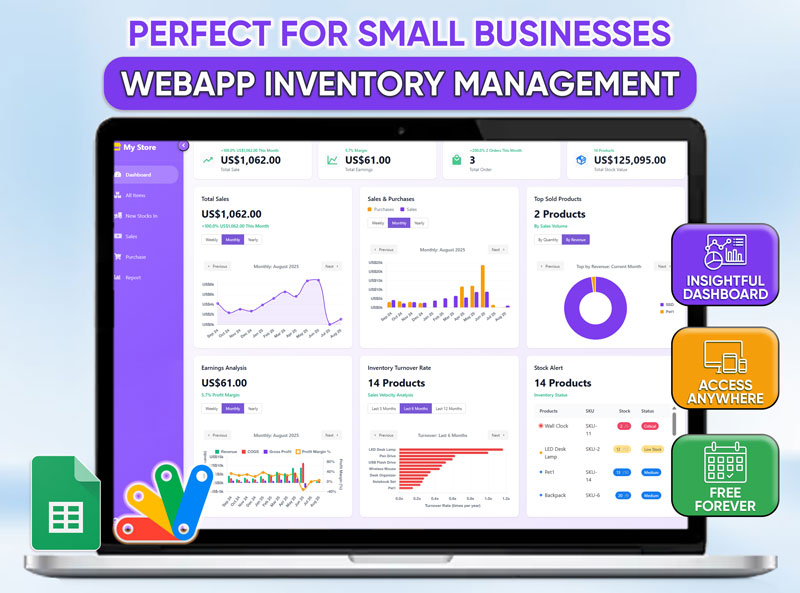
Revolutionize Your Business with the Ultimate Inventory Management Web App for Google Sheets\nStop drowning in complicated spreadsheets and manual data entry. Take complete control of your inventory with our intuitive and powerful Web App, seamlessly integrated with your Google Sheets. Designed specifically for small businesses, e-commerce sellers, and entrepreneurs, this tool simplifies your operations, saves you time, and helps you make data-driven decisions to boost your profitability.\nWhy Choose Our Inventory Management Web App?\nOur system isn't just another template; it's a full-featured web application built on the reliability and accessibility of the Google ecosystem.\n📊 Insightful Dashboard: Get a bird's-eye view of your business at a glance. Track total sales, earnings, purchase values, and top-selling products in real-time.\n☁️ Access Anywhere, Anytime: Being a web app, your data is securely stored in your Google Drive and accessible from any device with an internet connection—desktop, laptop, or tablet.\n🔔 Automated Stock Alerts: Never run out of your best-selling items again. Set custom alert levels for each product and receive automatic notifications when it's time to reorder.\n💰 Completely Free: Manage your inventory with a professional-grade tool without the recurring monthly fees. This is a one-time solution that is free to use forever.\n⚙️ Effortless Setup: No coding or complex configurations needed. Simply connect the app to your Google Account, and you're ready to go in minutes.\nCore Features to Streamline Your Workflow\nComprehensive Inventory Tracking Log every detail of your products, from unit costs and selling prices to current stock levels and SKU. The "All Items" view gives you a complete, organized list of your entire inventory value.\nSimplified Sales & Purchase Management Effortlessly record every sale and purchase order. The app automatically updates your stock levels, providing an accurate, real-time count of your inventory and preventing costly errors.\nPowerful & Dynamic Reporting Generate detailed reports on purchases, consumption, and stock history. Filter your data by date range or specific products to gain deep insights into your business performance. Export your reports to PDF or Excel for easy sharing and analysis.\nUser-Friendly Interface With a clean, modern, and intuitive design, managing your inventory becomes a breeze. The clear navigation and straightforward forms make data entry and retrieval faster than ever.\nCustomizable to Your Needs Set your application preferences, including your local currency, language/region, and date format, to make the app truly your own.\nWho Is This For?\nThis Web App is the perfect solution for: E-commerce sellers on platforms like Etsy, Shopify, or eBay. Small retail business owners with physical storefronts. Freelancers and makers who need to track materials and finished goods. Anyone looking for a simple, yet powerful, alternative to expensive inventory software.\nTake control of your inventory today. Automate your processes, eliminate human error, and focus on what truly matters—growing your business
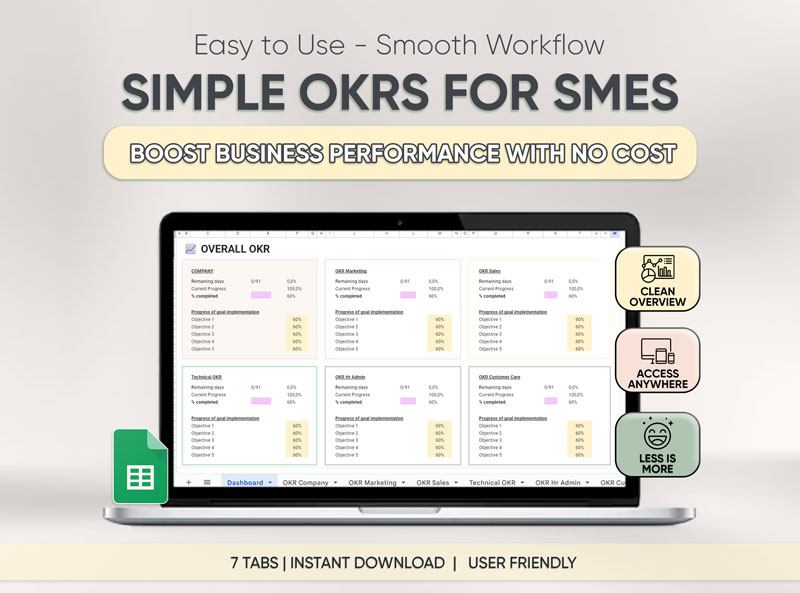
Stop struggling with unclear objectives. Start achieving real success. Simple OKRs For SMEs is your all-in-one Google Sheets solution that turns business planning from a chaotic mess into effortless progress.\n🎯 What Makes Simple OKRs For SMEs Different? Unlike generic goal-setting tools that leave you lost in complexity, our comprehensive Google Sheets template brings everything together in one intuitive system designed specifically for small and medium enterprises.\n⚡ Key Features That Drive 10+ Hours of Growth Weekly: \n✅ Smart OKR Tracker – Your command center for unlimited objectives and key results with automated tracking ✅ Visual Dashboard – See your company’s progress at a glance with real-time growth metrics ✅ Cross-Department Management – Seamlessly align Marketing, Sales, HR, and more with shared goals ✅ Instant Progress Insights – Identify what’s working and what needs focus in seconds ✅ Customizable Tabs – Tailor workflows for every team with 7 intuitive sections ✅ One-Click Updates – Keep your strategy agile and focused without clutter\n💡 Perfect For: SME Owners striving for structured growth Team Leaders managing multiple departments Entrepreneurs balancing vision and execution Startups needing affordable, scalable tools Anyone who wants to build success smarter, not harder 🚀 Benefits You'll Experience From Day One: ✓ Crystal Clear Direction – Know exactly what drives your business forward ✓ Zero Confusion – Everything organized in one accessible place ✓ Streamlined Collaboration – Align teams effortlessly with shared objectives ✓ Data-Driven Decisions – Track performance patterns across departments ✓ Stress-Free Planning – Goals and results manage themselves\n📊 What's Included: Complete Google Sheets Template (lifetime access) Quick Start Instructions Priority Support Free Future Updates 📱 Works Everywhere You Do Access Simple OKRs Google Sheet Template from any device – desktop, tablet, or mobile. Your OKRs sync automatically across all platforms.
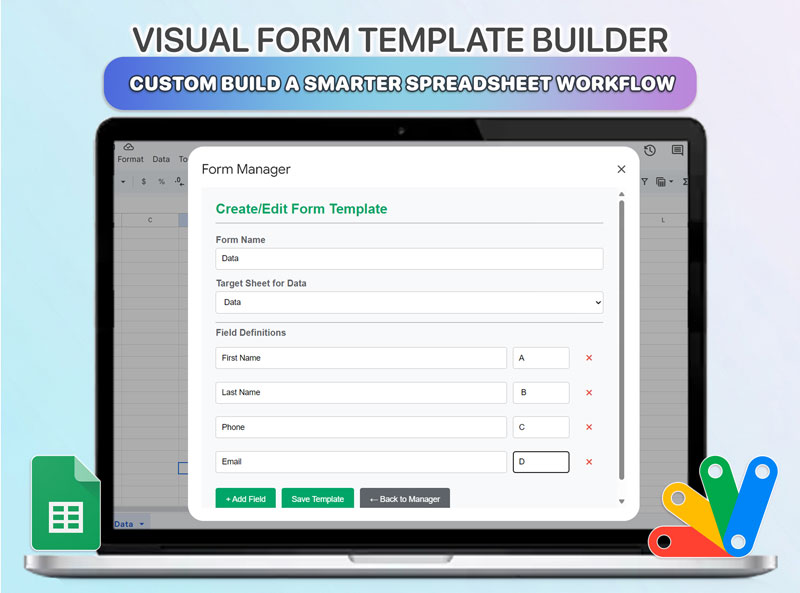
Transform Google Sheets into a Powerful Data Entry Tool Tired of inconsistent data, manual clean-up, and messy spreadsheets? The Custom Form Pro for Google Sheets is your solution to create a streamlined, error-proof data management system directly within your favorite spreadsheet tool.\nBuild professional, reusable data entry forms that save data exactly where you want it—down to the specific sheet and column. Stop adapting your process to the spreadsheet; it's time to make the spreadsheet adapt to you. Key Features & Benefits Build Unlimited Custom Forms: Create tailored forms with the exact fields you need for any task, from client intake and project tracking to inventory management. Save & Reuse Form Templates: Never build the same form twice. Save your layouts in the Form Manager and deploy them instantly for recurring tasks, saving you countless hours. Precision Column Mapping: Gain absolute control over your data. Map each form field to a specific column (e.g., "Customer Name" to Column A, "Order ID" to Column F) to ensure perfect organization. Organize with Target Sheets: Automatically send entries from different forms to different sheets within the same file. Keep your sales, client, and project data perfectly separated and easy to manage. Intuitive Visual Interface: No coding or complex formulas required. Manage everything from a clean, professional popup right inside Google Sheets. Enforce Data Consistency: Ensure everyone on your team inputs data the same way, every time. Drastically reduce errors and eliminate the need for manual data cleaning. How It Works in 3 Simple Steps Design & Configure: Launch the Form Manager, add your desired fields, and map them to the destination sheet and columns. Save Your Template: Give your form a unique name and save it. It's now stored securely for future use. Enter Data with Ease: Open the saved form anytime to quickly and accurately input new information. Your data appears instantly in the correct location. Who is This For? This tool is an essential productivity booster for: Operations Managers standardizing data entry across teams. Sales Teams logging new leads and customer information. HR Professionals managing employee data or applications. Project Managers tracking tasks and progress. Small Business Owners & Freelancers who need a structured way to manage information without expensive software. What You Will Receive A pre-configured Google Sheet template with the full, ready-to-use Apps Script code. A detailed, step-by-step guide on how to install and use the tool. Unlimited use on any Google Sheet you own.
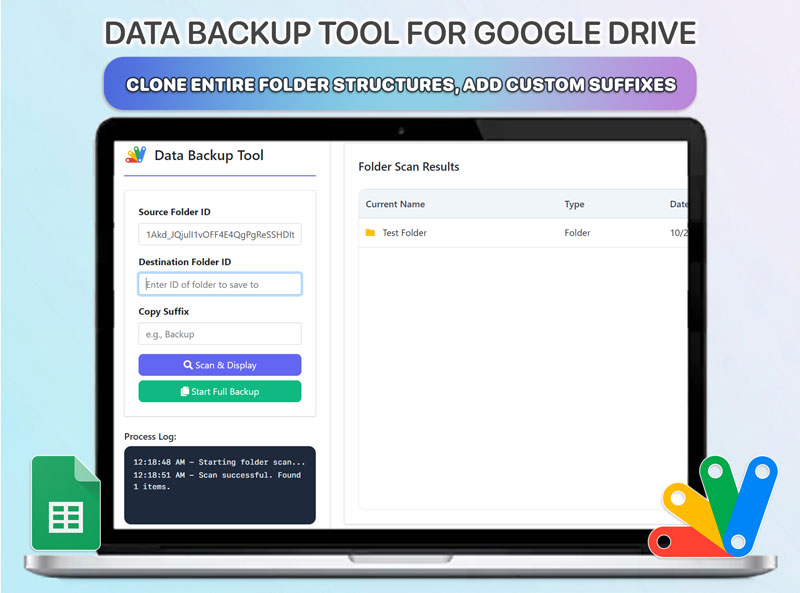
Are you manually copying folders in Google Drive for backups? Worried about data loss, accidental deletions, or simply need an organized way to archive your projects? The Data Backup Tool for Google Drive is a powerful web app that runs directly in your browser, giving you complete control over your data security and organization.\nThis professional-grade tool automates the entire process of cloning folder structures, allowing you to secure your critical files with just a few clicks. Stop wasting time with tedious manual tasks and start managing your Drive like a pro. Key Features & Benefits Complete Folder Replication: Don't just copy files, copy the entire folder structure. Our tool recursively scans and clones everything, preserving your organization perfectly in the backup destination. Preview Before You Act: Use the "Scan & Display" feature to see a full, interactive list of all files and sub-folders *before* starting the backup. Avoid mistakes and be confident in what you're copying. Custom Backup Identification: Add a unique suffix (e.g., "Backup - Oct 2025") to every copied file and folder. Easily distinguish between original data and archived versions. Real-Time Process Log: Watch the magic happen. A detailed log shows you every action the tool takes in real-time, from creating folders to copying files, including success messages and any potential errors. Integrated Folder Management: This isn't just a backup tool. You can delete files or folders directly from the scan results interface, making it perfect for cleaning up a source folder before archiving. Fast & Efficient Search: Instantly filter the scan results to find specific files or folders within even the largest and most complex directory structures. How It Works in 3 Simple Steps Configure Your Task: Enter the Google Drive Folder IDs for your source and destination. Add an optional suffix for easy identification. Scan & Preview (Optional): Click "Scan & Display" to review the folder contents and ensure everything is correct. Start Full Backup: Click the backup button and let the tool handle the entire process automatically while you monitor the live progress log. Who is This For? This tool is essential for: System Administrators needing to create reliable backups of shared or user drives. Project Managers archiving completed projects while preserving the folder structure. Photographers & Videographers securing large volumes of media files. Small Business Owners protecting critical company data. Anyone who wants a secure, automated, and professional way to back up their Google Drive data. What You Will Receive A powerful, standalone web application built with Google Apps Script (all code included). Clear instructions on how to deploy and use the tool. The ability to run unlimited backup tasks for any folders you have access to. \n